
Edge Dashboard: the Corsair Xeneon Edge on Linux
Corsair ships no Linux software for the Xeneon Edge, a slim touch display for the desk. Edge Dashboard is my replacement for it: live widgets spread across several pages, a tile grid for commands, and a settings application of its own. Developed and running around the clock on Arch Linux, KDE Plasma on Wayland.
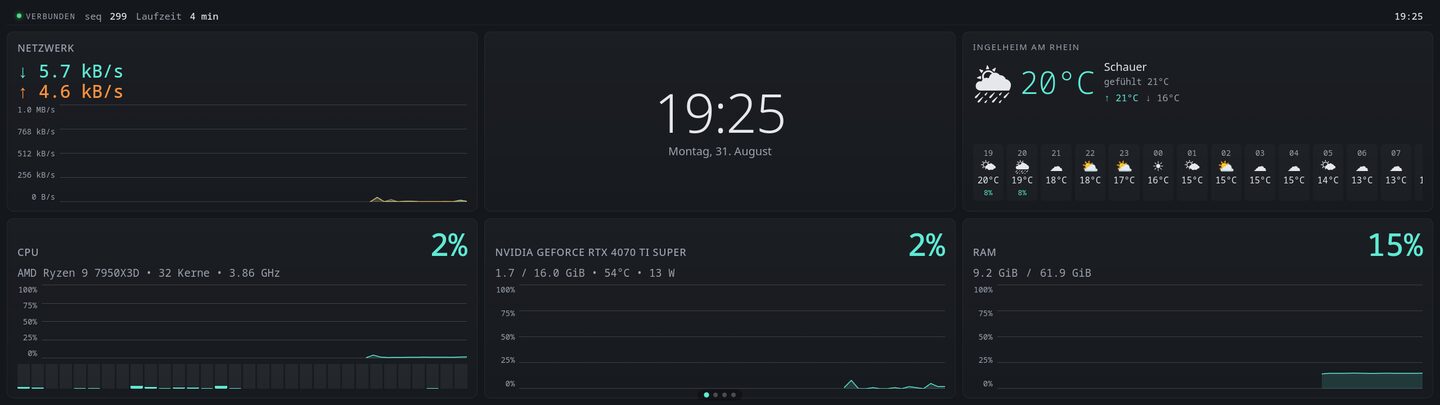
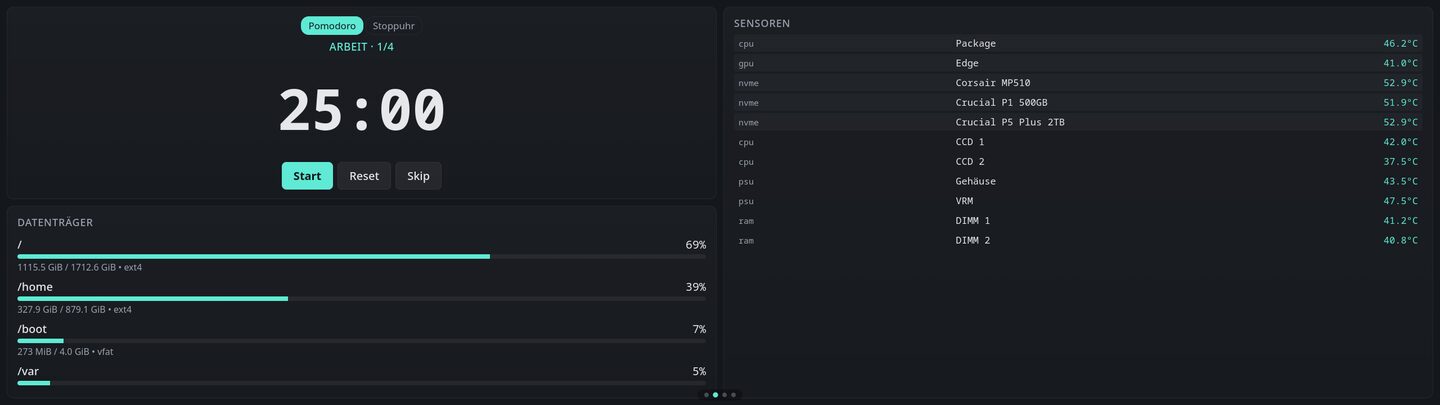
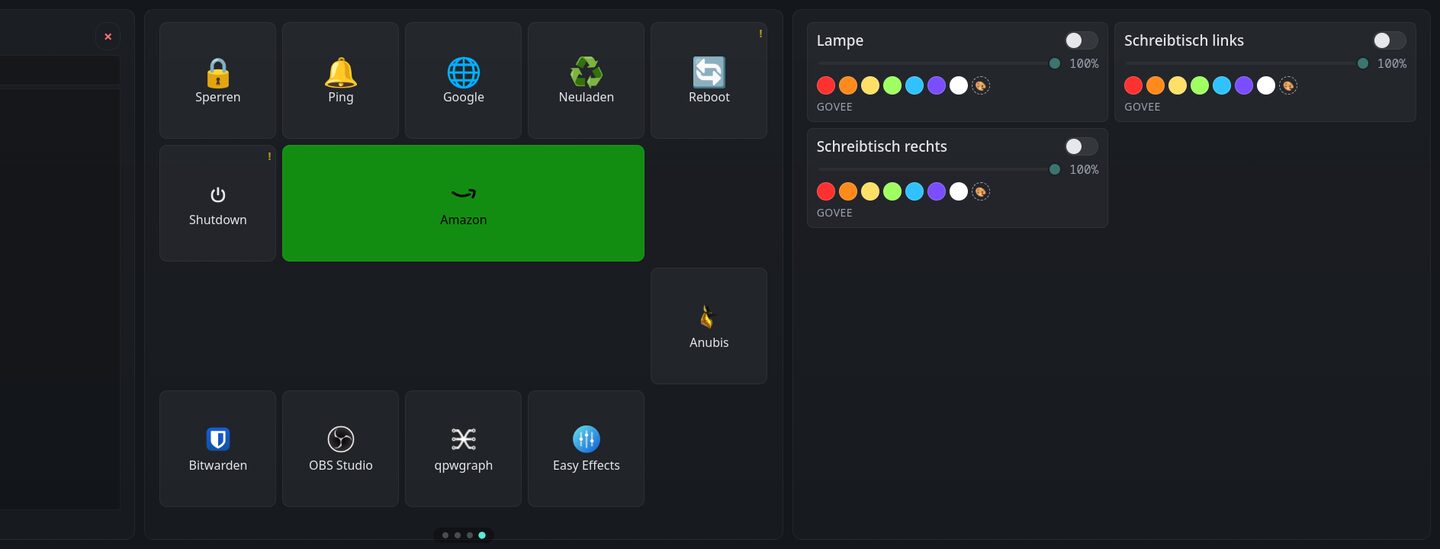
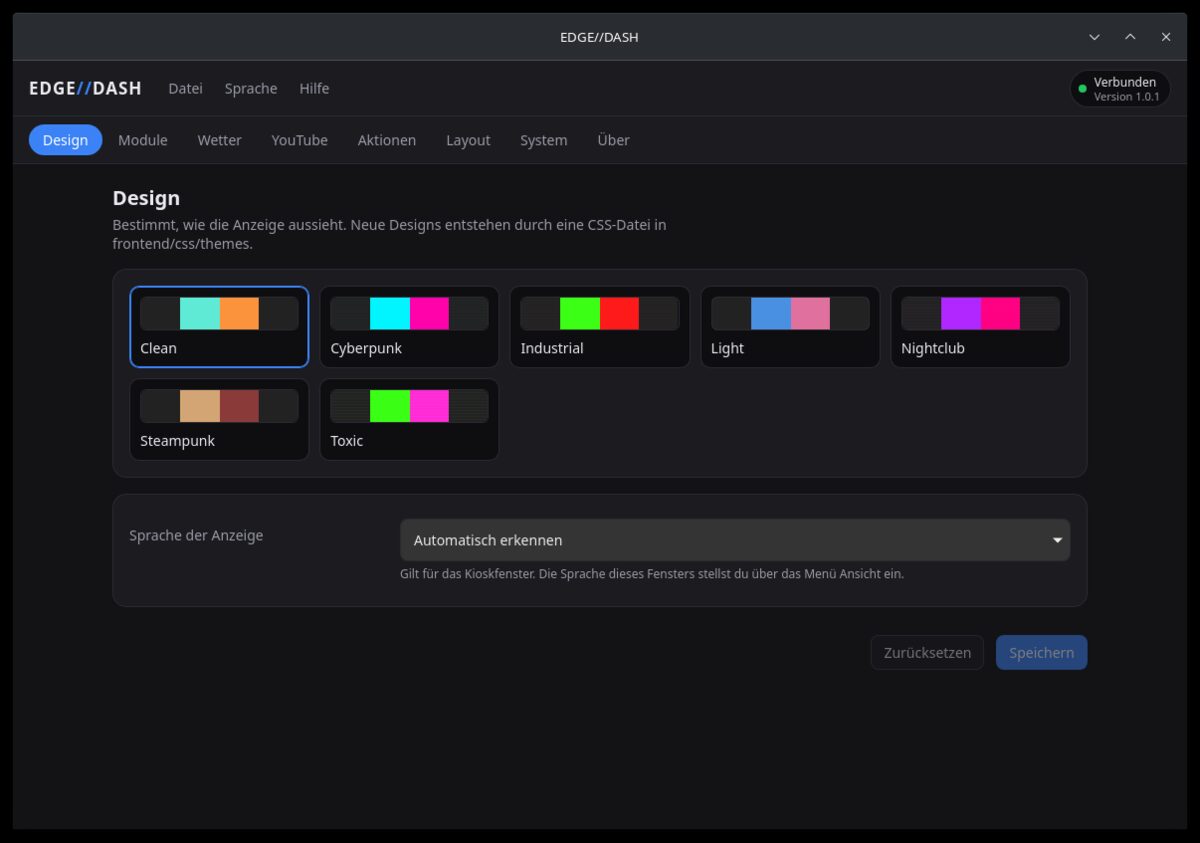
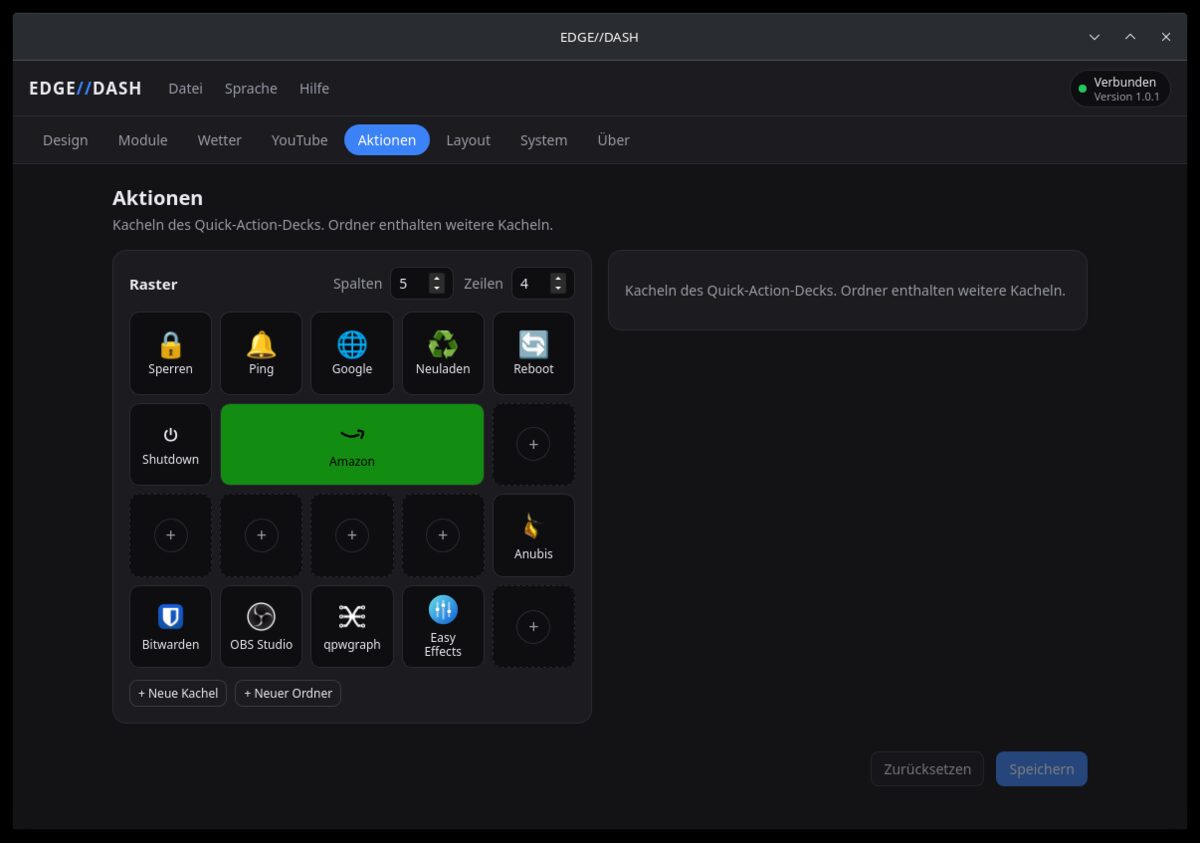
Image 1 of 5
About this project
A dashboard for the Corsair Xeneon Edge, the slim touch display below the monitor, built because Corsair offers no Linux software for the device. Three parts: a FastAPI server that collects system readings, weather, media and smart lighting, a kiosk window in QML that fills the 2560x720 panel, and EDGE//DASH, a desktop application for themes, module options, quick actions and the page layout.
Features at a glance
- Widgets for CPU, RAM, GPU, network, sensors, disks and processes
- Weather, media through MPRIS, YouTube, Govee and Tuya lights, pomodoro and notes
- Several pages in freely defined grid layouts, swiped through by finger
- Quick-action deck: commands, HTTP calls and programs on tiles
- EDGE//DASH as a separate settings window, changes without a restart
- Seven themes and two languages, both extended by dropping in a file
Why I built it
Corsair only ships software for Windows. On Linux the display stays a blank surface with nothing on it. Since I run Linux, the choice between leaving an expensive second screen unused and building something myself was quickly made. What came out of it is a display that simply runs: it comes up with the login, shows system readings, weather and media, and is operated with a finger, without keyboard or mouse.
Widgets and pages
There are widgets for CPU, RAM and GPU, network throughput, temperature sensors, disks and the busiest processes, plus a clock, weather, control of whatever is playing through MPRIS, YouTube tiles, smart lights from Govee and Tuya, a pomodoro timer and notes. Tiles sit in freely defined grid layouts across several pages, and a horizontal swipe moves between them. A widget can offer several presentations: the reading tiles have a compact one without a chart, meant for small cells, which never loads the chart in the first place.
Quick actions
One page is a tile grid in the manner of a Stream Deck: a tap runs a command, sends an HTTP request, starts a program or opens a folder holding further tiles. The display itself only ever knows opaque identifiers. What actually runs, along with addresses and HTTP headers, stays in the backend and never reaches the front end. Commands run as an argument list with no shell in between, so no globbing, no variable expansion, no pipes.
EDGE//DASH, the settings window
The dashboard is not configured on itself. Editing a grid template or an argument list with a finger on a 2560 by 720 pixel strip was the most unpleasant part of the earlier build. Instead there is EDGE//DASH, a desktop application of its own with an icon in the system tray: theme, module options, the quick-action deck and the page layout, the last with a preview in the aspect ratio of the display. Whatever it saves is announced over a WebSocket, and the display follows without reloading and without restarting the server.
How it is built
Three processes, one job each: a FastAPI server in Python that collects the data and is the only writer of the configuration, the kiosk window in Qt Quick through PySide6, and the settings window as a Tauri application with React. Kiosk and settings are ordinary clients over HTTP and a WebSocket, so a crashed renderer does not take the data collection with it. The display started out as a Chromium in kiosk mode; the kiosk now creates its window itself in Qt Quick, because under Wayland the Qt WebEngine left around 20 MB of memory behind per minute, which on a screen that runs for weeks ends in the OOM killer. The QML window sits at about 130 MB and stays there. A widget since then consists of a module in the backend, a QML file and a manifest that makes it known to the layout editor; adding one requires no change to the scaffolding.
More projects
Need something built?
I build web applications, APIs and Android apps, and I run them afterwards. The same care that goes into my own tools goes into client work.